
In today’s world, images shape how we see everything from family memories and social profiles to business websites and online stores. Photos make first impressions, tell stories, and influence trust.

With this influence, many people ask a big question:
Can AI tools like Chat GPT really retouch and edit photos?
The simple answer is that Chat GPT itself can’t directly edit photos, but AI absolutely can help enhance and fix images when you use the right tools. In this article, we’ll talk about what Chat GPT can and cannot do, where real editing happens, how AI is changing the photo editing landscape, and how you can make the most of both technology and human skill.
Chat GPT Can’t Retouch Photos — But It Can Help You Do It
Let’s start with the basics. Chat GPT, made by Open AI, is a language model. It excels at writing, explaining, guiding, and advising through words. It understands and generates text — but it does not open image files, move pixels, or adjust lighting in a photo.
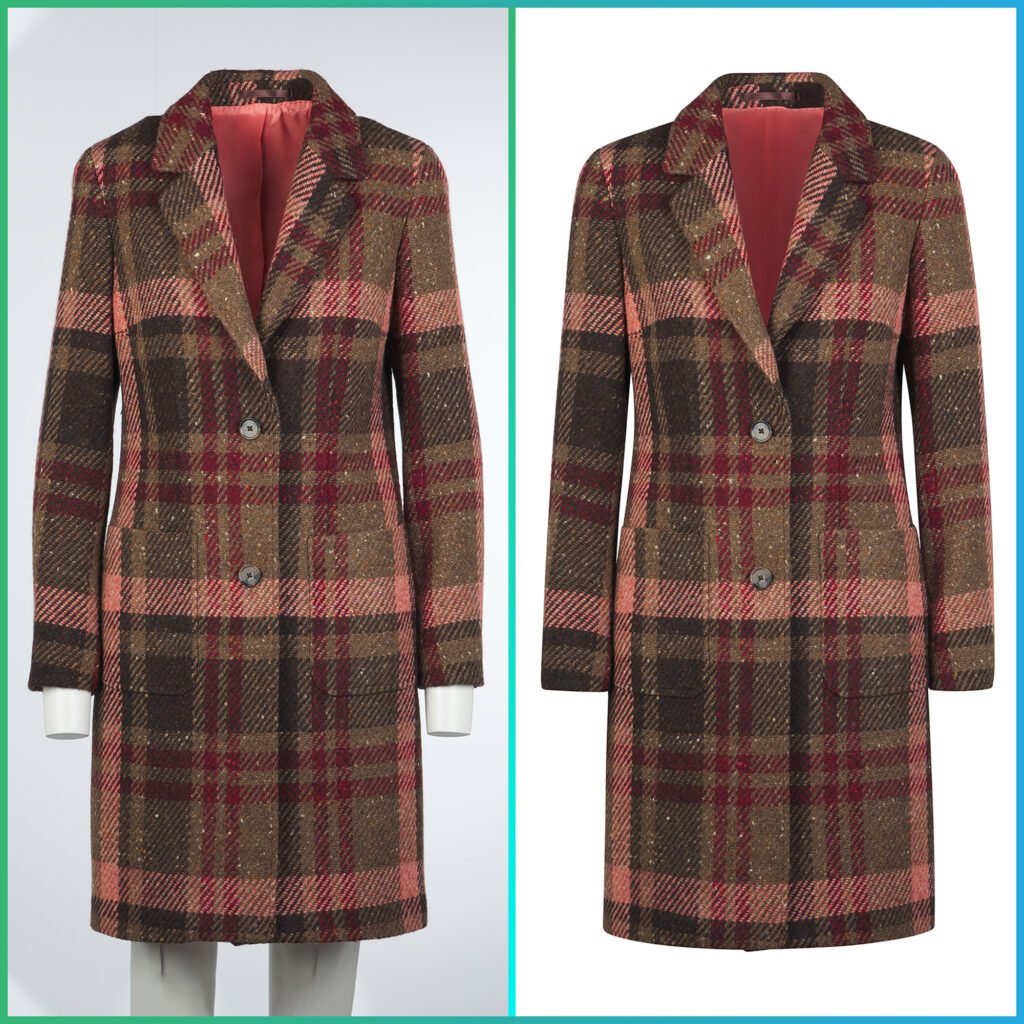
So if you ask ChatGPT to smooth skin in a portrait or remove the background from a product photo, it cannot do that by itself. What ChatGPT can do is:
- Explain how retouching works
- Recommend specific tools
- Describe step-by-step processes
- Help you write prompts for AI that can edit photos
- Compare different editing options and workflows
Think of Chat GPT as a photo editing teacher or advisor, not the editor holding the virtual eraser.
Where Real Photo Editing Happens: Specialized Tools and Services
While Chat GPT won’t edit photos directly, the good news is that AI-powered photo editing tools already exist and are widely used. These tools do work with images directly and help automate many complex tasks.
What AI Photo Editors Can Do
Modern AI tools can:
- Automatically improve brightness, contrast, and color
- Smooth skin and reduce noise
- Remove and replace backgrounds
- Upscale low-resolution images
- Restore old or damaged photos
Some dedicated services take this further by blending AI speed with human skill. A great example of this is Pic Visual — a specialized professional photo editing company that helps businesses and creatives get consistent, high-quality results.
👉 Explore Pic Visual’s main site: https://www.picvisual.com/
Pic Visual: Professional Photo Editing You Can Rely On
If you need images that represent your brand, products, or creative work at the highest standard, Pic Visual has a range of services built for real results — not just automatic filters.
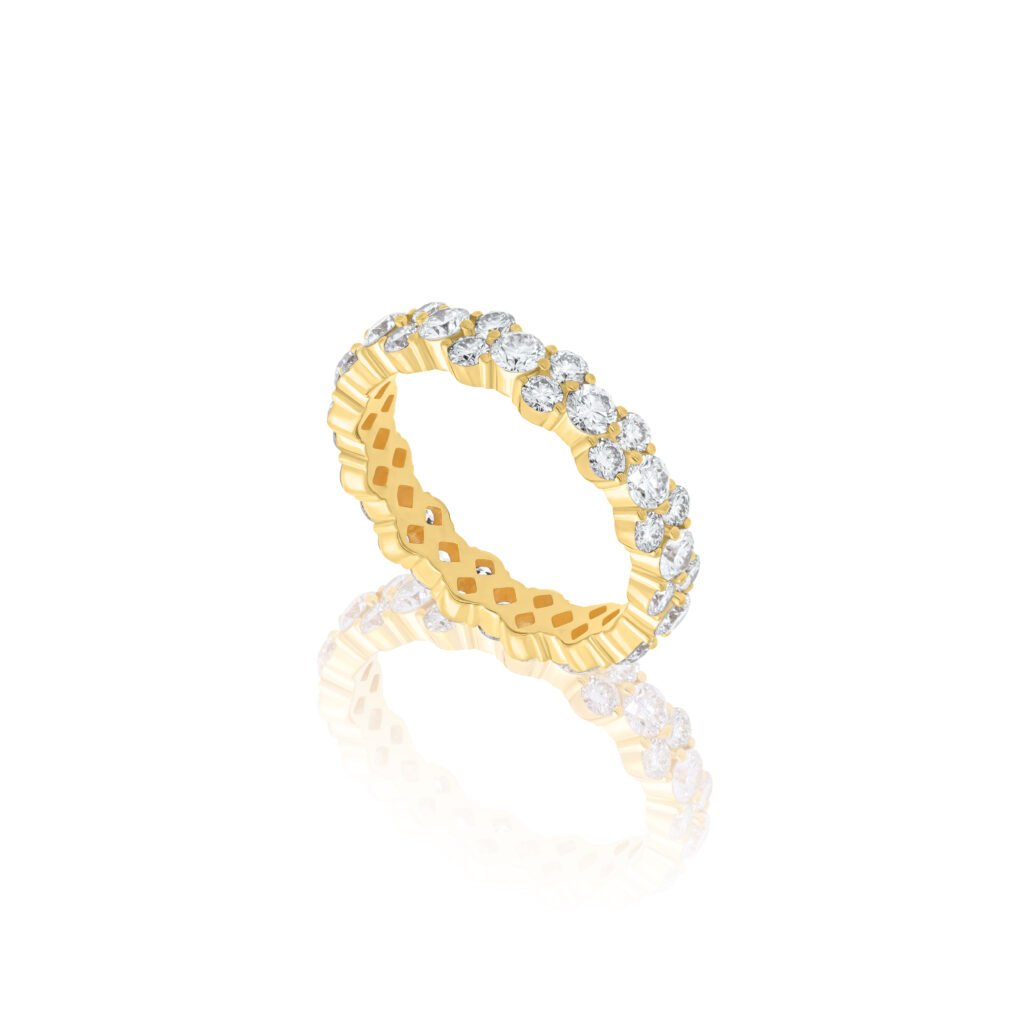
Services Offered by PicVisual
Their service pages explain what they do and how they tailor editing for different needs:
📌 All services overview:
https://picvisual.com/services/
📌 Fashion photo retouching:
https://picvisual.com/fashion-photo-retouching-service/
📌 High-end photo retouching:
https://picvisual.com/high-end-photo-retouching-services/
📌 Editorial retouching for magazines and media:
https://picvisual.com/editorial-retouching-services/
📌 Free trial to test the service:
https://picvisual.com/free-trial/
📌 Contact page for custom requests:
https://picvisual.com/contact/
These links give you direct access to professional editing workflows that go beyond what simple AI tools can do. They combine expert human judgment with advanced technology so your images look natural, accurate, and compelling.
AI That Does Edit Photos: A Growing Field
There are plenty of AI tools out there that work directly with images. Unlike Chat GPT, these tools analyze pixels and make visual adjustments. They use computer vision instead of language understanding.
Common AI Editing Tasks
AI tools can automatically handle:
Photo Enhancement
Smartly adjust contrast, exposure, and colors without manual slider control.
Background Removal
Cut out subjects and replace or clean up backgrounds—useful for products, portraits, and marketing.
Upscaling
Increase the resolution of images while preserving detail using AI training models.
Basic Retouching
Remove minor blemishes, reduce noise, and sharpen details.
Tools like Adobe Photoshop’s Neural Filters, Luminar Neo, Topaz Gigapixel AI, and others are examples of image-centric AI systems. These tools help both beginners and pros save time on repetitive tasks.
But even the best automatic solution can struggle with edge cases — like curly hair, transparent objects, jewelry sparkle, or very fine details. That’s where human editors (or services like PicVisual) still shine.
Can Mid journey Edit Photos?
It’s a great question.
Mid journey is a generative AI tool — meaning it creates images based on text descriptions. It’s powerful for imagination and artistic outputs (like turning your words into creative visuals). However:
Mid journey is not a precise photo retouching platform.
If you need detailed corrections — like smoothing skin in a portrait, fixing shadows, or cleaning product edges :a dedicated photo editor or professional service is a much better choice.
Asking AI to Edit Images: Choose the Right Type
If you want AI help, you must pick the right category:
1. Generative AI — For Creative Additions
Tools like DALL·E 3 can generate new visual content based on prompts. Use them to:
- Add creative elements to designs
- Explore visual ideas
- Generate backgrounds or concepts
They’re not ideal for accuracy or realism.
2. AI Photo Editing Tools — For Quick Fixes
Apps and software like Luminar Neo and Photoshop AI can help with:
- Skin smoothening
- Quick enhancements
- Batch fixes
They’re great for beginners and faster workflows but may still make mistakes that human eyes will notice.
3. Professional Services — For High-Quality, Consistent Output
If consistency and realism matter — especially for your business — professional services like PicVisual are often the best choice. They combine the speed of AI with human creativity and quality control, making sure:
- Products look accurate
- Skin looks natural
- Backgrounds are clean and consistent
- Details like hair or fabric stay sharp
You can even try the service before committing:
👉 https://picvisual.com/free-trial/
Retouching vs. Editing: What’s the Difference?
These terms are related but mean different things.
Photo Editing
This includes broad image changes such as:
- Cropping and resizing
- Brightness and contrast changes
- Global color adjustments
It touches the whole image.
Photo Retouching
This is about specific details:
- Removing blemishes
- Fixing stray hairs
- Cleaning spots
- Refining texture and tone
Retouching takes more precision and an eye for detail — things that AI alone still can’t fully master.
Why Human Judgment Still Matters
Even the best AI tools can make mistakes:
• Over-smooth skin until it looks fake
• Remove small details that matter
• Misinterpret complex textures or edges
A human editor understands artistic intentions, mood, and context — things AI doesn’t intuitively grasp.
This is especially important in:
- E-commerce product photos
- Fashion editorials
- Magazine spreads
- Brand-level marketing visuals
These areas require accuracy, consistency, and creative judgement — not just automatic processing.
That’s why PicVisual’s services are designed to enhance your photos while keeping them realistic and trustworthy.
Explore their detailed offerings here:
👉 https://picvisual.com/services/
AI Photo Restoration: What It Can and Can’t Do
AI can now restore old and damaged photos impressively well. It can:
- Reduce scratches and noise
- Improve faded colors
- Enhance clarity
- Fill missing pixels
However, complex repairs still need human care — especially where original detail is missing. AI is a helpful tool, not a magic fix.
ChatGPT can explain how the restoration process works and suggest steps or tools, but it cannot directly touch the image itself.
Which AI or Service Should You Use?
There’s no one-size-fits-all answer, but here’s a simple guide:
Beginners
Use built-in mobile editors:
- Google Photos
- Apple Photos
Intermediate Users
Use photo editors with AI:
- Luminar Neo
- Adobe Photoshop
Professionals and Businesses
Get consistent, polished results with services like PicVisual:
👉 https://picvisual.com/services/
These professionals ensure your photos look their best while maintaining natural detail, accuracy, and brand standards.
Final Thoughts
AI is transforming photo editing — but it is not replacing human skill. What’s really happening is a partnership between technology and human creativity.
- ChatGPT helps you understand, plan, and think.
- AI tools do the heavy visual lifting fast.
- Human editors ensure quality, context, and realism.
Together, they help you create photos that look professional, trustworthy, and visually striking.
If you want high-end results without spending hours learning complex software, check out:
👉 https://picvisual.com/services/
You can even test their work first:
👉 https://picvisual.com/free-trial/
And if you have specific questions or custom needs, they’re ready to help:
👉 https://picvisual.com/contact/
AI is not a replacement for creativity — it’s a powerful tool that helps you focus on what matters: beautiful photos that communicate your message clearly and confidently.

